Saturday, January 23, 2010

Weekend Extra #3 - Twitter Tweecap

This weeks installment of interesting resources that I received via Twitter.  If you are not using Twitter yet, you should!


1.) The Encyclopedia of Educational Technology - A publication from San Diego State University.  A good list of educational technology that relates to many of the educational theories and practices that we learned while in our teacher education programs.  Worth a look.


2.) Google Earth Across the Curriculum.  A great resource by Free Technology for Teachers discussing how to use Google Earth in your classroom.  Highly recommend taking a look at this resource.  Google Earth is more than just a Geography tool, and this helps to show you why.


3.) Langwitches Blog Post - Great post about how to be followed on Twitter and to learn about the types of people that are following you on Twitter.  Very useful for those that are new to Twitter.


4.) PDFmyURL - If you are interested in making your website into a PDF file.  Useful if you want to be able to send your Blog Post in a PDF format, or have a website with information that sharing in a PDF makes logical sense.


5.) AppMakr - Interesting.  You provide your URL and it creates a sample App for the Iphone of what your website would look like.  Kind of fun to play with....don't think my blog is worth an App yet though!  Maybe your website is...here is a way to create yours.


6.) Dirpy - Take those YouTube videos and turn them into an MP3....I think many of us have been looking for this option.  It is a lot easier than sites like Zamzar.


7.) Digital Cameras are all the rage...but how do you use them in the classroom?  Here are 46 Ideas for Digital Cameras in the Classroom


8.) Just for the purpose of discussion.  The ACT did research on our National Curriculum.  It is worth a read, because chances are, much of our curriculum might be based on these results....


9.) Interesting read...14 Technologies Educators Should Watch for in 2010.  My questions is, am I ahead of the times, if in January I am already past watching them, because I am using them???  Or which educators are they talking too?


10.) We all love Wordle.  I know I do.  Well thanks to Twitter I discovered some other useful tools like Wordle.  Some that I think have added advantage to use in the classroom.  I highly recommend you look at these 4 similar tools (Information about them here:

11.) Museums are always something I have loved visiting.  As a teacher, it is tough to know some of the best ones, or even the ones that exist in your own state.  Well, here is a list of Museums Online for the United States and the World.

12.) Wordle, Voicethread, and .....Ninitendo DS (yes..in the classroom).  Interesting set of presentations from the Edte.ch Blog.

Hope you find some useful links here.  Check back every Saturday for a recap from the resources I receive from Twitter.  It is important to note that when I wake up in the morning I have over 200 Tweets that happened throughout the night that I don't get a chance to read...so I wonder how many resources I am missing out on throughout the night.....

Friday, January 22, 2010

DoInk and My DoInk


Another animation creation website....but kind of an in between when it comes to comic strip creation and Go Animate.  DoInk is a website for creating cartoons and animations.  There are some very useful features and you can explore the website further so that you can determine its use.  It seems like it has a lot of great features but after spending a little time with it I found myself getting a little annoyed.  You might not feel that way.  You can Explore some of the animations already created to get an idea.  You do need to create an account for DoInk.

If you don't feel like joining than you can visit  My DoInk and create an animation instantly.  This is what I did.  This might be why I was having some trouble understanding all the features because it didn't seem to offer that much...then again...I am not that much of an artist or for that matter an abstract thinker to do much with it.  It seems promising for someone who might have time to explore it more than me, but I wanted to share it.

If you have used it, or your students have used it, please share experiences with me and my readers.  Thanks!

Friday Focus #5 - Online Whiteboard Collaboration

Online Whiteboard Collaboration is probably the one of the most trendy applications to come from the whole Web 2.0 movement.  There are quite a few out there all trying to garner your attention and use.  Generally they all have similar features but a few standout because of a feature or two that they offer that others do not.  These are in no particular order, so visit and see which ones you like best.


Twiddla is the first online whiteboard site that I was introduced to, so I feel kind of obligated to mention it first.  What I like about Twiddla are the math applications that you can input on to the whiteboard.  Students could log in their laptops and instead of going to the board to complete the example, they would work the problem from their desk!  You can upload images and documents to the Whiteboard as well.  The other aspect of Twiddla that I like is the "Twiddle This" feature which allows you to add a bookmark and "Twiddle" over webpages that you are visiting.  Would make a great tool for lecture when you are showcasing a website and want to highlight certain sections.  You can also add a "Twiddle This" to your own webpage so that viewers can "Twiddle" on your site without having to add the bookmark.  No membership is required.  If you want to play around on a whiteboard I created, you can go here.


Scribblar is very similar to Twiddla.  No sign up is needed, but you can if you want to.  I have created one for this post here.  Some of the differences are that you can change the background color if you prefer and it has a Stamp feature that also is beneficial.  It has a lot of shapes that you can choose from as well to put on the whiteboard.  It has an audio feature just like Twiddla if you wanted to conference on it.  You can also take an image of the whiteboard and save it for later if you made important notes.  Scribblar does not neccesarily stand out to me, but it has a lot of similar features.


Dabbleboard is kind of neat.  It offers a little more drag and drop features.  I have a sample one for you to play around with here.  The difference I am noticing is that you can edit what you have drawn or written after the fact (change color, positioning, size, shape, etc.)  Much more user friendly.  You can embed it as well into a webpage or blog as well.  It would be an interesting way to create a mind map because of the arrow features that it has.  It will turn what you are doing into a shape or a certain line if not in "freehand" mode, so it does take some gettind used too.  Just try it out.


Imagination Cubed is from GE.  Now it is more for playing and not neccesarily for collaboration, but I thought I would include it.  It has a lot of the same features as the others.  The only feature I saw it had that the others did not was the ability to "replay" what you just drew.  So it would be neat to watch a replay of your creation.  It does allow you to "invite a friend" but other then that, not much else is available for you to do in terms of collaboration.  It is worth looking and and playing around with.


Now I would love to provide some information on Scriblink, but unfortunately the firewall at my school is blocking access to the application, so if you have information on it, please share, otherwise I will try and add to it later when I get home.  It seems like an interesting Whiteboard application.


Thinkature could be categorized as a mix between Sticky Note Collaboration and Whiteboard.  It gives you the ability to incorporate "textbox" as well as free write.  You can also highlight certain areas of the whiteboard using a tool within your canvas.  The other aspect that I like is that you can also create mind maps.  It has an arrow tool that allows you to mind map with the software as well.  It does require signing up to use, and upon trying to do so, it appeared to freeze, but that could be my firewall again.  Will try later when I get home.

One thing I am noticing is that they all have a feature that the others do not.  Someone needs to make one that has all the features in the same Online Whiteboard Collaboration Tool.  A way to draw on a website,. drag and drop, mind map, Replay, etc.  Pull all these together and make one that encompasses everything and we will have a complete website.

Are there others that you know of and use?

Thursday, January 21, 2010

Think Twice Thursday #3 - TodaysMeet


Todays Meet is a Back Channel Web Based Chat Program.  You can give your Chatroom a name, determine the date of deletion of your room, and even add a Twitter Hashtag and it will be inccorporated into the Chat..  Now the idea of a Chat Room scares the average administrator, but the idea of giving students an alternative form of communication with the teacher is great.  We all know that there are many students who are scared to speak in front of the class, TodaysMeet gives them that opportunity.

When you create one, the name you give the room becomes the URL.  Here is the Chatroom for this Blogpost.  So how could you incorporate this in to your classroom or school?  Well, I can think of a few.....

1.) If your students all have computers and Internet invite them to watch the news with you and chat about the current events from that evening.  You could do the same thing with a Presidential Speech or Disaster.  Imagine how this could have been used on 9/11 or most recently the Earthquake in Haiti
2.) While showing a video or movie in class let your students chat and ask questions about it while watching the movie.  As the teacher you can answer their question...without stopping the movie!
3.) Allow students to post comments or questions during a lecture or group project while working on it in class.
4.) Having a guest speaker?  Have the guest speaker answer questions from the Chat room while you monitor amd discuss the questions with the students within the Chat Room.
5.) Since you can keep the room open for a year, you could have it as yo0ur very own "Question Box" for your students to use through out the year to ask help with assignments and projects.

You could even have your teachers use this during a PD to ask questions as well.

So Think Twice about how you could use Todays Meet in your classroom.  Share your ideas with my readers.

Wednesday, January 20, 2010

My Life....In Cell Phones

I sit here in bed thinking about how my life has changed (technology wise) since I was just a young lad.  First I realized, I would not be sitting in my bed, because I would not have had a computer small enough to have in my bed, of course then I also would not be able to type this blog, because the concept did not exist...because neither did the Internet...for the average person.  I remember a recent post on Twitter by Steven Anderson about receiving a Commodore 64.  I remember doing homework on that, but more importantly I remember playing Wheel of Fortune on a Gold and Black screen and thinking "Man, this is awesome!"

Oh my, how times have changed.  My computer is now my cell phone...or is it my cell phone is now my computer.?.  I remember getting my first cell phone.  It was a Mitsubishi (So old I can't find a picture of it).  It was through what is now T-Mobile (Is it sad that I cannot remember just 10 years ago the name of my first cell phone company...Voice Stream maybe?)  I remember thinking..."I am the man.  I have a cell phone.  No one has one of these."  At least no one I knew had one.  My dad had the first Motorola Flip phone and had it wired through his car so that he could speak "handsfree."  I had 100 minutes of talk time (of course now I got 4000 in rollover stored up...or something like that).  I remember my mom telling me that it was not worth it because that equals out to just over 3 minutes per day that I can use the phone, not to mention Roaming was a huge deal....not to mention coverage.

Next I got the Nokia...yes...that Nokia. Man was it great! The Nokia that allowed you to change the faceplate.  I think I had 4-5 different ones.  I had a Red one, a Fraternity one, one for U of L and WKU.  And before you ask, I also had the Swivel Clip.  And yes, I thought I was the man....again.  I remember walking around college with that on my hip and thinking, "I must look like a professional with this cell phone on my belt."  That Nokia was the best phone ever.......

Till I got my first Flip Phone, a Samsung.  Man was it great!  All these neat colors and ring tones.  I could even upload pictures to the phone.  Everyone around me was getting a cell phone.  This time...I had 150 minutes...2.5 hours of talk time.  Hard to imagine these days that was enough.  But that Samsung was great.  Small, no case needed, no clip needed.  Fit right in my pocket.  Didn't have to worry about locking the keys either.  What a great phone...That Samsung was the best phone ever......

Till I got my LG Camera Phone (Off Ebay).  Man was it great!  I could see the number who was calling...on the outside!!!  Not only that it had a camera on it!!  I mean come on, what a great invention.  I could take pictures of people and then when they would call me, I could see the picture I took of them...because we all know I did not know their phone number...or recognize their name!  That Nokia from 3 years before seems so lo-tech.  That LG Camera Phone was the best phone ever....

Till I got my Motorola RazR.  Talk about slick.  Man was it great!.  Black, shiny, camera, speaker phone, plays music for ring tones, and ultra slim.  I have hit the JACKPOT!  Everything I could ever want in a phone I got in the Razr, plus I got 250 minutes now!  I was the man.  I remember at this point Text Messaging was all the rage.  I thought I would never do that.  The point of the phone is to talk to people.  If I want to text, I will send an email.  That Razr was the best phone ever....

Till I got my Blackberry Curve.  Man, a full keyboard!  Text messaging is awesome.  Forget what I was saying about it before.  I could also sync with my computer and keep all my appointments on it.  I could even get my email from work.  I was completely connected.  I could check Facebook, Keep up to date with ESPN, what else could a man possibly want.  That Blackberry was the best phone ever...

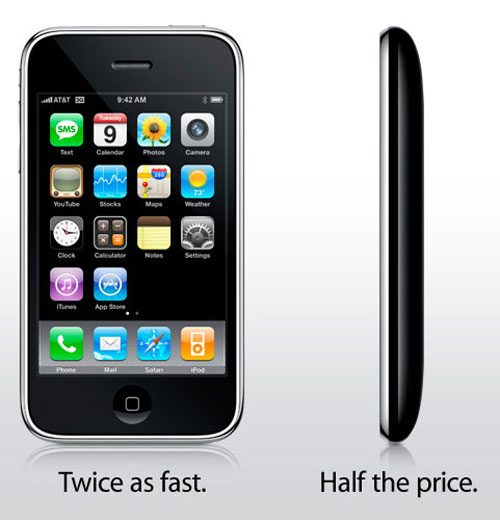
Till I got my IPhone.  Seriously, what was my life like before this phone...Computer...TV...Game-Console...Calendar...To Do List...Newspaper...Chatroom...Atlas...Camera...Video Camera...MP3 Player...Weatherman...Voice Recorder...Accountant...I think you get the point.  So needless to say in 10 years look how far our phones have come.  It has to make one wonder...where are they going to go now?  What else do we want from our phones.

Then you have to ask...how will Cell Phones change the methods of teaching students?  Current Events, History, Calculators, Periodic Tables, Books, at their fingertips.  The technology needs to be accepted, encouraged, and managed.  We are blocking a vital tool to our students education.

And to think, in high school I thought I was the man because I had a Pager!