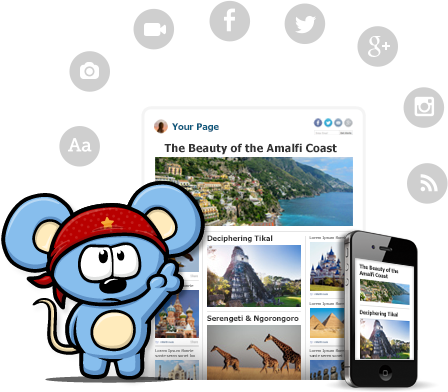
RebelMouse, currently in beta, is a social aggregator that brings your Facebook, Google+, Instagram, and Twitter all into one place and presents it in Pintrest style wall. You can also add various RSS feeds, Pinterest, and other services. If you are using the social media services listed above as an educator and want a main page for students and parents to visit to get all the information shared in one place, RebelMouse would be worth a look. By signing up you get your own page on RebelMouse that you can share with others.
There is also a bookmarklet tool that allows you to easily share new content to your RebelMouse front page. You choose an image, make text edits, and then publish to your front page. As you make any updates to your social profile they will automatically appear on your front page. Last year when I was teaching I had a Twitter Feed, Facebook Page, and a blog for my classroom. RebelMouse would have provided a homepage for students to visit. I also could have easily linked videos and other stories pertinent to class that didn't necessarily require a blog post.
A feature that teachers might also enjoy is the ability to add a post/story directly from your front page. You can add a headline or URL, add pictures, videos, or an album and then write the post. You can also add tags to the story. It turns your front page into a blog at the same time, but also a way to add a post without using the bookmarklet tool.
Sometimes you might have tweets or posts that you don't want to appear. There is a draft section that contains those that RebelMouse is unsure of whether you want to post them or not. You can visit there and add them as necessary. You can also adjust the themes of your page and create your own. There are already several videos on YouTube explaining how to create a theme.
You can see my RebelMouse Front Page for a sample. It is currently just my Twitter feed, but provides you with a sample of what a page would like look. Also, here is a 60 second video with an introduction.
Educational Technology has become a staple in a large portion of schools across the country. Often times it is placed in classrooms and terms are used at conferences that have little meaning to many teachers. Like the lingo of our students, teachers need to be aware of the lingo used relating to educational technology. There are terms and aspects of educational technology that need to be shared and below you will find some of the most popular to date. I hope this list can be used to help clarify questions teachers might have about this growing list of terms.
Web 2.0 - The term given to the current age of the World Wide Web where the web is used for interacting with a web app, and collaboration and sharing with others. Most common examples include Wallwisher, Glogster, Prezi, etc.
PLN - Stands for Professional Learning Network and is the communication and relationship between educators with whom information and resources are often shared. It is an engagement between people that often starts online, but then moves to the real world through conferences and other connections. Twitter and Blogging are the most common place that PLN's grow. For more information about PLN's, visit Project PLN.
Social Media - In a nutshell, it is media that is for the purpose of sharing and interacting socially. It allows media content to be opened for discussion. Social media can include text, audio, video, images, podcasts (see below), and other multimedia communications. YouTube and Skype are good examples.
Social Network - A web-based service that allows individuals to create an online public or private profile with which to share connections with others and engage in discussions and sharing. Facebook, Twitter, and Edmodo are examples.
Digital Native - This is the term given to the generation of students that have grown up in the digital world and are using technology to communicate, educate, share, record, and learn about society. This term often implies that students have an adapted sense of how to use technology easier then previous generations. For more information and reading, I recommend From Digital Natives to Digital Wisdom and also Born Digital.
BYOT/BYOD - Bring Your Own Technology/Devices is a movement where school districts, schools, and teachers are encouraged to allow students to bring and utilize the technology they already have. Whether it be a Phone, iPod, iPad, Kindle, laptop, or other device, they have it, so let them use it. For more information, read Districts Struggle with BYOT Policies or see the video below by NBC.
Cloud Computing - We often hear "In The Cloud" and what they are talking about is services and applications that host data, files, and information at remote servers around the country/globe and then this data can be accessed from any device. Imagine taking your computer's hard drive and making it a website; you can then visit that website when you need access to your computer. The most common understanding of this is cloud storage, which is applications like Google Drive and DropBox where files are stored "in the cloud," therefore available from any device through logging in to the service.
TeachMeet - An unconference, meaning participants are usually in control of their own conference. TeachMeet is an informal gathering of educators where the sharing of ideas and lessons used in their classrooms is by educators is encouraged. Often times they contain short information sessions that provide enough time to be introduced and then be given contact information for more opportunities to network. To find one in your area, type in "TeachMeet" followed by your state/province/country in a Google search to find one. You might also look at bordering regions as well.
Hashtag - If you are an avid Twitter user then this term is nothing new to you, but if you are not, then the best way to describe it is a categorization of tweets that are sent on Twitter. Hashtags are important because it provides a way to find information you need on twitter. The "#" is used in front of the text you are wanting to search. Some popular examples are #edchat,#edtech, #elemchat, and then chats for each major subject area #sschat, #mathchat, #scichat, and #engchat. If there is a term that you want to find tweets or information about, just place a "#' in front of that term. You do not have to have a Twitter account to do so, just search for it on the Twitter Homepage.
Wiki - A Web site that is developed collaboratively by multiple users and allowing any number of users to add and edit the content on the site. That last part is why it is important that we are careful when letting students use Wikipedia as a resource. Wiki's offer great opportunities for classroom, school, and district pages. Wikispaces is an example of a resource for creating your own wiki. See my posts related to Wikis
Digital Storytelling - Ever been to a wedding, birthday party, or anniversary party and seen a continuous loop of pictures? That is an example of a Digital Story. In the classroom, students and teachers can add video, audio, and present using digital story telling. See my posts related to Digital Story Telling to find options for creating your own.
Backchannel Chat - During lecture, discussions, readings, and video, teachers could be having a real time chat while those activities are happening. Backchannel Chat allows an avenue of communication for students to discuss what they are learning, while they are learning. TodaysMeet and TitanPad are popular options. You can find other backchannel chat options in previous posts I have written.
Screencasting - You are struggling to know how to do something on your computer. You visit YouTube and type it in and there a multiple videos showing you how. That is Screencasting. The idea is you record your computer screen with or without audio and create a video of what is happening on your screen. A great resource for when trying to showcase a website or concept for your students. Screenr and Jing are options for creating your own screencast.
Audience Response - Often times called Clicker Systems, but with mobile technology taking off, the aspect of actually using a clicker is starting to diminish. Using a web-based software or power point slides, teachers can ask a question and students use a device to respond to that question, which provides real-time results for the teacher. Poll Everywhere and Socrative are popular options for this tool.
Podcast - Think of a weekly radio or TV broadcast, and make it a file for showing/listening to it on an iPod or MP3 player. A podcast is a digital audio or video recording that is most likely part of a themed series that can be downloaded from a website to a computer or device. Most can be found on iTunes but many teachers create their own as a way of communicating with parents and students. Here are 10 Ways to use iTunes/Podcast in the classroom.
Infographic - A graphic or visual representation of information and data presented in a quick and clear method. Infogram, Easl.ly, and Visual.ly are three examples of sites for creating infographics. For more information about inforgraphics, click on the sample below.
Digital Citizenship - The expectations, behaviors, and rules for internet, email, social media, and social network use by not just students, but all people. It also emphasizes the importance of protecting privacy and being aware of misguided information on the web. For more information visit Digital Citizenship for more information and this useful PDF: Digital Citizenship - Addressing Appropriate Technology Behavior.
Browser - The software application for searching and retrieving information while travelling around the World Wide Web. There are several browser options out there available to users. Internet Explorer is probably the most widely used in schools, although Firefox, Safari, and Google Chrome are making serious headway in amount of users.
Blog - Often times referred to as an online journal, but considering how most of them are shared, it would not be a private journal. Basically a blog is a website that contains the writings, opinions, thoughts, experiences, and resources of an individual or group that is shared on a regular basis. If looking to start a blog, Blogger and Wordpress are free options and here are 10 Tips. If looking for some blogs to read I suggest here and here. Here are some tips for using Google Reader as well...which helps you organize blogs you are reading. Another great way to find education blogs to read are the EduBlog Awards.
RSS (Really Simple Syndication) - This is a service provided to help visitors of blogs/websites to "subscribe" to them using a service like Google Reader and as content to those sites.blogs are updated, they are automatically fed to you. As new content is added, you don't have to check back and see what it was, as it is fed to your Reader. A great way to follow blogs and other sites.
BONUS: Creative Commons - As people publish information to the web, Creative Commons lets visitors and users know about the ability to republish the information. So, if you start a blog, this is how you permit the use of the material. Especially important if you have student or classroom blogs that you utilize these licenses. For more information, visit Creative Commons.
What terms would you include that I might have left out??
Something a little different. For those of you that keep a Facebook page for your classroom or a Twitter feed, uWhisp is a site currently in Beta that allows you to record audio of yourself that can then be played back within the web browser. It currently requires Google Chrome for plug-in that needs to be installed in your browser. The plug-in also places a button in the text boxes of the social networks that you use.
uWhisp is really new that some of the links on the main page are not up and running yet, but I wanted to share what could be a look into the future of how we use Social Media to actually be vocally social.
You can watch the short video below to see how it works.
"Conovate is a platform for real-time assessment, analysis and reporting of student performance by skill and over time. Our free teaching tools are easy to use, reduce paperwork, and can be used to supplement and assess learning in and out of class, providing instant access to student progress for individualized instruction." It is provided on an Open Source Platform, so it will be free for teachers, students, and schools. It is currently in Beta, so you would have to sign up to be added to a list.
Through Conovate, teachers can create quizzes and students can take them online or they can be printed off and copied. Since it is like a community, teachers can find questions that other teachers have created. The benefit will be that it allows teachers to track student responses and gauge the time they spend on each question (if they do them online I assume), therefore learning where students are struggling, and then provide intervention.
To learn a little more visit their main site and see the features available for teachers and parents. There is also a Prezi that explains what they intend for the website to do. It will be interesting to see what becomes of this Conovate. Teaching AP next year, I could see this being used to see where students stand.
Bitlr is a social networking site that allows you to easily update status by including files with those status updates. I am a fan of using Facebook in the classroom and creating a page for classrooms that students and parents. We need to go where they are. Although Bitlr is not Facebook, the concept is a great one if you find yourself constantly updating a web page and including documents for your students to access.
The user interface is very similar to Facebook. Each status is limited to 500 symbols/characters. You can easily upload files and images to your status. You can also embed a video from a URL. A great way to share a video and then use the comment section for discussion. You can invite students to join by sending them an email. You can do this by typing them in, or importing them.
If it is a feature of Facebook, it is generally a feature on Bitlr. The combination of networking and file sharing was something I always thought was missing from Facebook. Makes me wonder how long (if this gets popular) before Facebook buys the rights to this. You can see a screenshot of the website below. I do wonder about some safety features of this site, so that would require further investigation if look at using it. Plus, it is probably blocked, so that might be something else worth looking into.
If your district is still wondering about social networking with students, show them Edmodo as another option.
Mixxt is a European based company that aims to provide its user with the ability to create their own social network for free. Of course the free means advertisements, and you can get a Pro account to remove those, but advertisements online are basically part of our culture now and I think the average Internet user recognizes them and avoids them.
Mixxt is another option for teachers who might want to create a place for students to collaborate with them outside of school. There are several features that are offered that can enhance the collaboration between students and teachers. Teachers can customize and design their layout with total freedom. You can set the network to private or public which can be very important for educators. You can activate and deactivate several modules, making controlling your social network much easier. You can create rich content pages and customize events as well. You can insert media and share files with your members.
If you are looking for a way to connect with students outside of the classroom then Mixxt might be an option worth checking out and playing around with the features.
Collaborize Classroom is currently a free software for teachers to create a social network with your students. You have until October 31st to create your own community (social network) to collaborate with your students in a safe environment. You can see a video on the main page of a teacher sharing her experience using the software with her students. Sign up is simple, all the usual information. Once you decide to join there is a simple wizard that you can go through to setup your network with your students.