Over at The Edublogger, which I have shared in my Found From my Feed.ly posts, is conducting a survey to learn how educators are using blogs and obtain a comprehensive resource on the the State of Educational Blogging. Please visit her post and complete the survey if you are an educational blogger or use blogs for your teaching or within your school. If you have students that are blogging, then please complete the survey. The survey does not take that long to complete and can be a very beneficial piece of understanding how blogs are being used now and in the future as this survey is made available each year.
Many of the educators that write a blog or that are on Twitter often have several bloggers that they read and follow on a daily basis. Whether they have them on a list in Twitter or have them in their Google Reader, they are often our favorites. They generally share something that we see as a vital resource for others or a thought/experience that we often relate to or learn something from. When we see something on these blogs that we really like we often tweet them to our followers or share on another social network.
One way to share our favorites automatically is to use a service called Twitterfeed. To use this service, all you need to do is link your Twitter account and then if you have your own blog, provide the RSS feed. The service will automatically post to Twitter the most recent blog post. You can also add a "header" or "footer" to the tweets as well. I use the service and often attach a hashtag like #edchat and #edtech or a mention of who the author is by using their Twitter username.
I also recommend that you use the service to share the wealth. Take a blog or two that you really like and collect their RSS feeds. Attach them to the Twitterfeed service so that they are automatically tweeted for/from you. This way your twitter followers will get the opportunity to read your favorite blogs in case you forget to tweet them, you read them from your Google Reader, or you are away for some time.
If you have a class blog, this is a great way to tweet those as well. You can also link it to a classroom Facebook page to have the link automatically posted to the wall. If you have your students blogging, you might want to share this service with them as well as a way to share their blog posts to Twitter
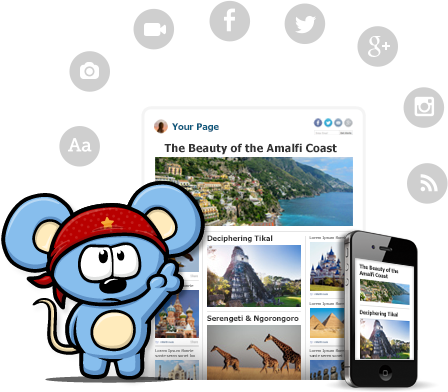
RebelMouse, currently in beta, is a social aggregator that brings your Facebook, Google+, Instagram, and Twitter all into one place and presents it in Pintrest style wall. You can also add various RSS feeds, Pinterest, and other services. If you are using the social media services listed above as an educator and want a main page for students and parents to visit to get all the information shared in one place, RebelMouse would be worth a look. By signing up you get your own page on RebelMouse that you can share with others.
There is also a bookmarklet tool that allows you to easily share new content to your RebelMouse front page. You choose an image, make text edits, and then publish to your front page. As you make any updates to your social profile they will automatically appear on your front page. Last year when I was teaching I had a Twitter Feed, Facebook Page, and a blog for my classroom. RebelMouse would have provided a homepage for students to visit. I also could have easily linked videos and other stories pertinent to class that didn't necessarily require a blog post.
A feature that teachers might also enjoy is the ability to add a post/story directly from your front page. You can add a headline or URL, add pictures, videos, or an album and then write the post. You can also add tags to the story. It turns your front page into a blog at the same time, but also a way to add a post without using the bookmarklet tool.
Sometimes you might have tweets or posts that you don't want to appear. There is a draft section that contains those that RebelMouse is unsure of whether you want to post them or not. You can visit there and add them as necessary. You can also adjust the themes of your page and create your own. There are already several videos on YouTube explaining how to create a theme.
You can see my RebelMouse Front Page for a sample. It is currently just my Twitter feed, but provides you with a sample of what a page would like look. Also, here is a 60 second video with an introduction.
Educational Technology has become a staple in a large portion of schools across the country. Often times it is placed in classrooms and terms are used at conferences that have little meaning to many teachers. Like the lingo of our students, teachers need to be aware of the lingo used relating to educational technology. There are terms and aspects of educational technology that need to be shared and below you will find some of the most popular to date. I hope this list can be used to help clarify questions teachers might have about this growing list of terms.
Web 2.0 - The term given to the current age of the World Wide Web where the web is used for interacting with a web app, and collaboration and sharing with others. Most common examples include Wallwisher, Glogster, Prezi, etc.
PLN - Stands for Professional Learning Network and is the communication and relationship between educators with whom information and resources are often shared. It is an engagement between people that often starts online, but then moves to the real world through conferences and other connections. Twitter and Blogging are the most common place that PLN's grow. For more information about PLN's, visit Project PLN.
Social Media - In a nutshell, it is media that is for the purpose of sharing and interacting socially. It allows media content to be opened for discussion. Social media can include text, audio, video, images, podcasts (see below), and other multimedia communications. YouTube and Skype are good examples.
Social Network - A web-based service that allows individuals to create an online public or private profile with which to share connections with others and engage in discussions and sharing. Facebook, Twitter, and Edmodo are examples.
Digital Native - This is the term given to the generation of students that have grown up in the digital world and are using technology to communicate, educate, share, record, and learn about society. This term often implies that students have an adapted sense of how to use technology easier then previous generations. For more information and reading, I recommend From Digital Natives to Digital Wisdom and also Born Digital.
BYOT/BYOD - Bring Your Own Technology/Devices is a movement where school districts, schools, and teachers are encouraged to allow students to bring and utilize the technology they already have. Whether it be a Phone, iPod, iPad, Kindle, laptop, or other device, they have it, so let them use it. For more information, read Districts Struggle with BYOT Policies or see the video below by NBC.
Cloud Computing - We often hear "In The Cloud" and what they are talking about is services and applications that host data, files, and information at remote servers around the country/globe and then this data can be accessed from any device. Imagine taking your computer's hard drive and making it a website; you can then visit that website when you need access to your computer. The most common understanding of this is cloud storage, which is applications like Google Drive and DropBox where files are stored "in the cloud," therefore available from any device through logging in to the service.
TeachMeet - An unconference, meaning participants are usually in control of their own conference. TeachMeet is an informal gathering of educators where the sharing of ideas and lessons used in their classrooms is by educators is encouraged. Often times they contain short information sessions that provide enough time to be introduced and then be given contact information for more opportunities to network. To find one in your area, type in "TeachMeet" followed by your state/province/country in a Google search to find one. You might also look at bordering regions as well.
Hashtag - If you are an avid Twitter user then this term is nothing new to you, but if you are not, then the best way to describe it is a categorization of tweets that are sent on Twitter. Hashtags are important because it provides a way to find information you need on twitter. The "#" is used in front of the text you are wanting to search. Some popular examples are #edchat,#edtech, #elemchat, and then chats for each major subject area #sschat, #mathchat, #scichat, and #engchat. If there is a term that you want to find tweets or information about, just place a "#' in front of that term. You do not have to have a Twitter account to do so, just search for it on the Twitter Homepage.
Wiki - A Web site that is developed collaboratively by multiple users and allowing any number of users to add and edit the content on the site. That last part is why it is important that we are careful when letting students use Wikipedia as a resource. Wiki's offer great opportunities for classroom, school, and district pages. Wikispaces is an example of a resource for creating your own wiki. See my posts related to Wikis
Digital Storytelling - Ever been to a wedding, birthday party, or anniversary party and seen a continuous loop of pictures? That is an example of a Digital Story. In the classroom, students and teachers can add video, audio, and present using digital story telling. See my posts related to Digital Story Telling to find options for creating your own.
Backchannel Chat - During lecture, discussions, readings, and video, teachers could be having a real time chat while those activities are happening. Backchannel Chat allows an avenue of communication for students to discuss what they are learning, while they are learning. TodaysMeet and TitanPad are popular options. You can find other backchannel chat options in previous posts I have written.
Screencasting - You are struggling to know how to do something on your computer. You visit YouTube and type it in and there a multiple videos showing you how. That is Screencasting. The idea is you record your computer screen with or without audio and create a video of what is happening on your screen. A great resource for when trying to showcase a website or concept for your students. Screenr and Jing are options for creating your own screencast.
Audience Response - Often times called Clicker Systems, but with mobile technology taking off, the aspect of actually using a clicker is starting to diminish. Using a web-based software or power point slides, teachers can ask a question and students use a device to respond to that question, which provides real-time results for the teacher. Poll Everywhere and Socrative are popular options for this tool.
Podcast - Think of a weekly radio or TV broadcast, and make it a file for showing/listening to it on an iPod or MP3 player. A podcast is a digital audio or video recording that is most likely part of a themed series that can be downloaded from a website to a computer or device. Most can be found on iTunes but many teachers create their own as a way of communicating with parents and students. Here are 10 Ways to use iTunes/Podcast in the classroom.
Infographic - A graphic or visual representation of information and data presented in a quick and clear method. Infogram, Easl.ly, and Visual.ly are three examples of sites for creating infographics. For more information about inforgraphics, click on the sample below.
Digital Citizenship - The expectations, behaviors, and rules for internet, email, social media, and social network use by not just students, but all people. It also emphasizes the importance of protecting privacy and being aware of misguided information on the web. For more information visit Digital Citizenship for more information and this useful PDF: Digital Citizenship - Addressing Appropriate Technology Behavior.
Browser - The software application for searching and retrieving information while travelling around the World Wide Web. There are several browser options out there available to users. Internet Explorer is probably the most widely used in schools, although Firefox, Safari, and Google Chrome are making serious headway in amount of users.
Blog - Often times referred to as an online journal, but considering how most of them are shared, it would not be a private journal. Basically a blog is a website that contains the writings, opinions, thoughts, experiences, and resources of an individual or group that is shared on a regular basis. If looking to start a blog, Blogger and Wordpress are free options and here are 10 Tips. If looking for some blogs to read I suggest here and here. Here are some tips for using Google Reader as well...which helps you organize blogs you are reading. Another great way to find education blogs to read are the EduBlog Awards.
RSS (Really Simple Syndication) - This is a service provided to help visitors of blogs/websites to "subscribe" to them using a service like Google Reader and as content to those sites.blogs are updated, they are automatically fed to you. As new content is added, you don't have to check back and see what it was, as it is fed to your Reader. A great way to follow blogs and other sites.
BONUS: Creative Commons - As people publish information to the web, Creative Commons lets visitors and users know about the ability to republish the information. So, if you start a blog, this is how you permit the use of the material. Especially important if you have student or classroom blogs that you utilize these licenses. For more information, visit Creative Commons.
What terms would you include that I might have left out??
So my cousin is graduating from college, has passed her PRAXXIS and is becoming an Art teacher. It prompted me to share a blog with her that the Art Teacher at my school is doing with the hope that it will encourage her to do the same with her students. Then it got me thinking, I haven't shared the blog that the Art teacher is doing with his students with anyone who reads this blog. This just goes to show that integrating technology is an opportunity for all.
On his blog, Art Studio 1169 (which is the classroom number for his room), he shares videos, lessons, information, Apps, and samples of student work related to what he is teaching. It is truly a great example of how teachers can easily integrate technology and Web 2.0 into their classrooms. I recommend viewing and sharing with the Art teachers in your school and in your district, and then encouraging them to take this next step.
You might also notice that the title of the Blog is also the hashtag on Twitter that he created for his Art class. He truly has embraced Social Media in his classroom.
Finally back to the blog after a month long vacation during the month of July. I needed the break to be with family and friends and take a break from anything work related for a while. Since I am going back into the classroom this coming school year, allow me to share how I am going to be using Social Media with my students to start off the posts for the month of August.
The 2011-2012 school year is just around the corner. My school year will be very different. It will be tough adjusting to life back in the classroom after being out of it for two years. There are several things that will take getting re-used to: Duty schedule, lesson plans, grading papers, discipline, etc. But they are all expectations of being a teacher.
Over the past two years I have learned a lot about integrating technology in the classroom, but I have also learned about my personal teaching philosophy and what it means to be a teacher. I recognized so many flaws in my teaching strategies when provided the opportunity to be on the outside looking in. I noticed damaging characteristics of my personality that interfered with my ability to enjoy being a teacher. Hopefully this coming school year will allow me to put in to practice all that I have learned and reflected on.
One of the new strategies I learned about was utilizing social media in the classroom. My last year in the classroom, all these social media tools existed. They were there for me to use with students and parents, but no one was telling me how to use them. Through personal professional development, collaborating online with other teachers, and attending conferences, I learned so much about how to use these social media tools. This coming school year, I will be working at integrating a classroom Blog, Facebook Page, and Twitter Feed.
Why all three? Because not every parent has a Twitter or Facebook account. Not every student has, or is permitted to have a Facebook Account. The blog allows me to easily share the same information with those students and parents who do not utilize social networking. You are probably thinking to yourself: "That sure is a lot of repeating information." Yeah, it is, but I can use a site like Twitterfeed, and have my blog posts automatically posted to the classroom Facebook and Twitter pages. Therefore I am really only updating one site, and if necessary I can post separately.
Setting this up is fairly easy. All I needed was my RSS feed for my blog, my Twitter Username, and my Facebook Page Address. You can learn more about linking your blog to Facebook using Twitterfeed here and linking your blog to Twitter using Twitterfeed here. This process really will help to synchronize the communication with students and parents.
Another great feature of Twitter is the ability to create a hashtag; which is typing a "#" before text that is used in your tweet. For example, I use #MrZimHCCHS for my classroom Twitter feed. The hashtag categorizes tweets. If a parent or student does not have a Twitter account, they can still visit the Twitter homepage and type in the hashtag for the classroom Twitter feed in the search bar. This is great because students can still use the service without having to join the site. The other great thing about Twitterfeed is that you can include the hashtag in the automated tweets of the posts from the classroom blog, therefore students who don't have an account don't miss out on information if they prefer to check Twitter.
When it comes to the Facebook page, I created a separate profile where I only show "My Info" and include in the information that the page will not be used to connect with friends, parents, and students, only to create my Classroom Facebook Page. In the settings for my Facebook page I made it to where I am the only one who can post statuses, links, pictures, notes, and videos on the wall. Students and parents will be able to comment, but that is it. If desired, notifications can be setup to receive emails when comments are made.
So when it comes to "policing" the social media, what do I do? I require the students to sign a set of rules related to social media, and that bad behavior on the page is just like bad behavior in the classroom. I also will show students how to make their own Facebook pages private so that I (and questionable people) don't have access to their page, therefore protecting myself from communicating with students outside of the Classroom Facebook page.
With the growth of mobile technology, students can download a Twitter app and the Facebook app and easily follow our social media classroom and not miss out on anything I share. Students interested in RSS can download a Reader app to get blog updates as well. I am sure that I will run into some issues in my move towards using social media, but I am expecting them to happen and am preparing myself for ways to handle them.
My Classroom blog is just getting going, so not much is on it. Same goes for my Classroom Twitter and Classroom Facebook Page. You might not want to use all three like me, but I highly encourage you to embrace one method and utilize it in your classroom. Using social media is not specific to high school either. Parents of all grades would like some form of alternate communication to connect with their child's classroom. You might even survey parents at an open house to see which they would prefer.
Need further assistance? Contact me on Twitter and lets work together!
5.) 10 Wikis Worth Checking Out - Written March 30th, but received hundreds of visits, so I thought I could still share it since it was written so close to the end of the month.
Discovering and reading blogs has been one, if not the most, influential personal and professional growth experiences in the past two years. I know that blogs have been around for a lot longer than two years, so I often think about what I was missing out on related to education prior to two years ago. The great thing about blogs is that there are several out there for anything. You can easily do a blog search to find one. Writing a blog has been a professional experience as well, but I will save that for a future Ed Tech Tip for Administrators.
Today I wanted to share several examples of great blogs written by several administrators from across the globe. I recommend adding them to your Reader Account.
2.) A Principal's Reflections: Written by Eric Sheninger - Does a wonderful job reflecting on what it is like being a principal at a school that epitomizes 21st Century Learning. Occasionally has his students guest blog about what it is like being a student at his school.
3.) School Finance 101: Written by Bruce D. Baker - Money is the number one thing that can get an administrator in trouble. This blog does a wonderful job of discussing financing in education. You can learn more about why a blog about school finance here.
4.) The Principal of Change: Written by George Couros - The blog focuses on helping and insipring administrators and educators discover or rediscover their passion. He has a great list of Leadership Blogs in a list on the right hand side.
5.) Principal's Point of View: Written by Larry Fliegelman - Writes about "Education Reform, Leadership Essentials, Parent Involvement, Standards Based Grading and more."
6.) The Principal's Posts: Written by Lyn Hilt - Writes about her experiences as an elementary school principal and shares the happenings from her school. Occasionally has students write blog posts as well. Shares opinions and thoughts on education and educational technology as well.
7.) The Principals Page: Written by Michael Smith - Even administrators need humor and need to laugh about life as a principal. This blog does a good job of that while also providing thought provoking commentary on what it is like to be a Principal.
8.) Connected Principals: Written by Many Principals - "This blog is the collected thoughts of school administrators that want to share best practices in education. All of the authors have different experiences in education but all have the same goal; ensuring we do what is best for students." You can find a list of contributors by clicking on the pages at the top of the page.
There are several other great administrator blogs that I have probably left off; my apologies. If you know of a great Administrator Blog or you are an administrator who writes a blog, feel free to comment with a link. Thanks!!
AnswerGarden is a website that is intended to allow users to get feedback to a question. It is very simple to use and requires no sign up. You enter in a question (limited to about 60 characters) and then select some of your options (unlimited answers, password protection, reminder email) and then click create.
Once you have done that you will get an embed code that you can add to a website or blog and visitors will get to respond with simple 20 character answers. You can also share the question on various social networks as well, so it might be a great communication tool for a district/classroom Facebook or Twitter page.Currently in beta is a customization tool which allows you to change the colors for background and text, borders, and size. When you start to get responses, you can export them and have data about the answers to your question.
With more and more students creating web pages and online publications, AnswerGarden can provide students an opportunity to get quick and instant feedback. It might also be a way for teachers to quickly communicate with students their opinions on their publications. It would also be a very useful tool for students to discuss other students work as well, while working on their vocabulary since it is limited to 20 characters.
Magnoto is like an all in one website for sharing various types of multimedia. Think of it as an online bulletin board, online poster board, and a blogging platform. Several features remind me of Glogster. There are also several features that remind me of Lino It. Then there is the idea of making it into a blog, yet it is a blogging platform like one I have never seen.
I learned about this site from Kelly Tenkely and her iLearn Technology blog does a great job of explaining several of the features and concepts of Magnoto, so I point you to her blog post to learn more instead of my attempt at reinventing the wheel....plus, giving credit where credit is due!
It was about a year ago that I really started to get into the idea of blogging. I was hesitant, unsure, and fairly new to the whole idea. I spent most of the initial stages of blogging just learning how to use the site to benefit myself, understanding widgets and embedding, and learning how to write for an audience. Below are tips that I would offer someone based on my own experience.
1.) Develop a Memorable URL and Title - I originally titled this blog ZimmerTIS. I did not think that let people know the purpose, plus the URL did not help explain what the blog would be about. So I changed the title and URL. Make yours something simple, memorable, short and sweet.
2.) Develop a Theme and Focus - I started doing daily posts related to different aspects of Educational Technology last year and created a Focus for my blog. I no longer do that, but it helped me to create posts that are relevant and specific.
3.) Create a Weekly Post - Develop a post that you have each week to keep readers coming back. Make the post something that will be an easy read and provide beneficial knowledge or resources. I started this year creating posts related to the Core Subjects of Math, Science, English, and Social Studies.
4.) Educate Yourself on Formatting - I have had to take some time and learn about HTML coding and embedding. I like for my links, images, videos, and other resources I embed to be flush with my template, so I learned about understanding the simple aspects of HTML code. This can be very helpful in the future and be beneficial to your readers.
5.) Learn About Widgets - Widgets are a great addition to a blog. It allows you to add things for readers to access. There are several out there that can be great additions. There are also some that will slow up the speed of your page load. I made the mistake of over doing this. Be simple with what you add (blogs you read, labels, previous post, popular post, search bar, translator, etc. A great addition will be to create a Social Signature. Jason Bedell has created a great site called Social Sig 4 Me. Use that site to add your RSS feed, Twitter name, etc. This way your readers can find you in other social networks.
6.) Use Copyright Free and Creative Commons Images - There are several images out there that are copyrighted and you want to be careful when using those images. Wylio is a great site for finding such images. I recommend you bookmark that site and use it for adding images to your blog.
7.) Watch Your Labels and Tags - You can add labels to your posts. Be broad with your labels. If you are to specific then you will have a ton of different labels and struggle with the organization of your blog postings. I find myself editing my labels about twice a year where I merge some of the labels together. For example, I had "comic," "comics," and "cartoons" all for the same resources, but did not include the same label throughout.
8.) Choose a Welcoming Layout/Theme - When I first started this blog I had a dark black background (even though I had "Happiness" in the title). I realized that this was not as welcoming and inviting. So I went with a lighter background and brighter hyperlinks. So far I am happy with the change. Blogger, Wordpress, and Edublogs all have themes and layouts that you can choose. Choose one that is welcoming to your readers. Here is a great post by The Edublogger for Introducing Blogging using Edublogs
9.) Join and Share Blog on Twitter - I discovered that Twitter was the BEST way to share my blog with others. Steven Anderson has done a great job putting together An Educators Guide to Twitter, where you will also find my So You Are New to Twitter post. Through Twitter you will be able to connect with other educators and share your blog. It is the greatest way to increase the readership of your blog, as well as introduce you to other blogs that you can comment on. By commenting on other blogs, many blogging educators will return the favor.
10.) Interact, Interact, Interact - When people comment on a blog post, interact with them. Tell them thanks for commenting and taking the time to read your post. Answer questions if they have any as well. Turn your blog into a form of networking with others. Creative commenting can lead to a large growth of readers.
Have you just started creating a blog? Comment here and share it with those that read my blog.
I still find it hard to believe that it has been a complete year since I started writing this blog. One year ago I was completely oblivious to the whole idea of blogging and the purpose of it. Now, I spend some of my time trying to explain blogging to other educators. My blog serves a different purpose than the teachers that I work with who might start a blog, but the concepts of communicating, interacting, and growing as an educator as still the same.
I started this blog with a single goal of just sharing resources. It turns out that this blog has become much more of a communication tool and small piece of my professional growth as an educator. I found myself reading more as it relates to education and reform, educational technology, and the different subject matters. Writing this blog has allowed me to become more aware of the different subject matter that our students learn. Before writing this blog, my knowledge was very Social Studies specific.
Through this blog I have met some great people and been able to connect with educators from around the world. I am able to look and see where people who visit my blog are from and it amazes me how much that spans the globe. Our problems, solutions, techniques, lessons, curriculum, and student personalities when it comes to education are not unique to America, and through this blog and Twitter I have been able to have a MUCH better understanding of that.
I want to share what I consider to be the top 15 post for the year for The Pursuit of Technology Integration Happiness. What you will notice is that several of the post deal less with educational technology, but more with professional growth and professional networking.
Are you a blogger? How has blogging helped you become a better educator? Want to share that experience and be a Guest Blogger? Contact me on Twitter and let me know. Help me show teachers how blogging can be a professional and life changing experience.
Do you have students who blog? I would like to see and share how blogging has changed their outlook on education and learning.
Nominations for the 2010 Edublog Awards can now be made. This is the 7th year that the awards are being conducted. You can view the 2009 winners here. Nominations are closed on December 13th, Voting ends December 14th, and the Awards ceremony is December 15th. You can find instructions for nominating blogs, wiki's, and Tweets by visiting the 2010 Edublog Awards site and following the directions.
I was a newbie to the blogging atmosphere a year ago; in fact, this blog was only a couple weeks old when the 2009 Nominations were announced, so it has been a great learning experience in just one year that enables me to nominate more then I did in 2009. Without further ado and with great pleasure, I present my nominations for the 2010 Edublog Awards:
Jason Bedell who is a member of my PLN, has put together a great Professional Development document that helps to explain this movement in education by educators to embrace Social Media/Networking, join Twitter, and start blogging. He does a great job of outlining how to get started in joining this movement towards becoming a 21st Century Educator.
With this document you can learn about what a PLN is and how to start creating your own network of educators. You can also learn about blogging and how it can help you reflect on teaching and learn to use blogs by other teachers to make you a better teacher, as well as integrating blogs into your curriculum with students. He also discusses Social Bookmarking (sites like Diigo and Delicious) and this other new movement in education, the UNconference.